POS orderTable 12
Margherita Pizza$14.00Fresh Lemonade$4.50Service charge$1.85
Order #1048$20.35
Multi-location POS
Growing operators need more than one register. DeliveryZone POS helps teams plan consistent menus, users, roles, reports, and operational controls.
Built for restaurants, cafés, cloud kitchens, retail-food operators, and growing multi-location teams.
Ticket routed to Central Kitchen with modifiers visible.
Downtown Burgers order moving from dispatch to completion.
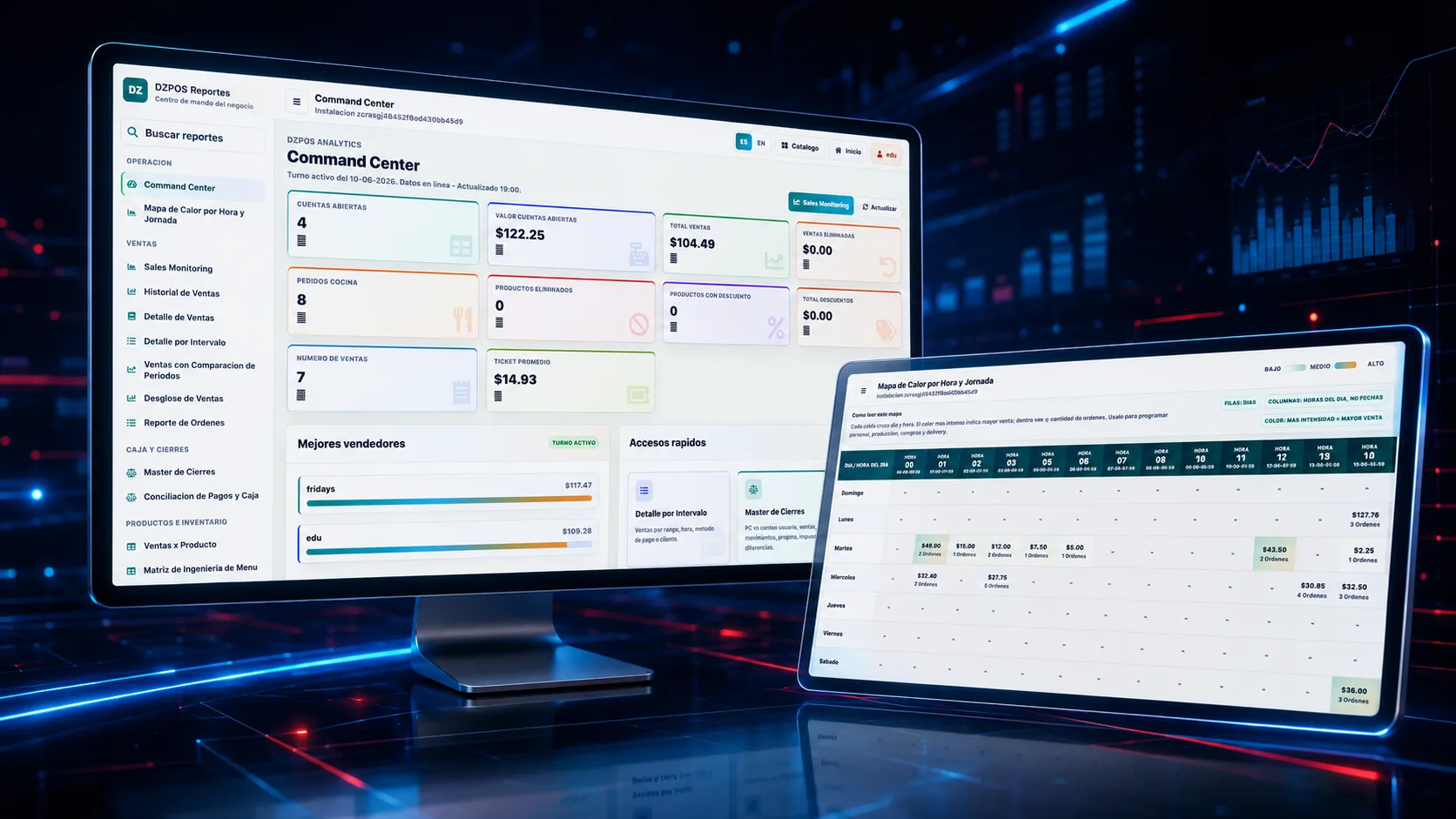
Sales, items, customers, and locations in one view.
Buyer pain
Owners need local flexibility without losing visibility, standard menus, permissions, reports, and rollout discipline.
Different users, menus, prices, and closeout routines make performance harder to compare.
Leaders need sales, items, staff, and location trends while decisions can still be made.
A first-location launch should produce a playbook for the next location.
Operating fit
DeliveryZone POS helps operators connect service, menu control, reporting, and rollout details without adding another disconnected tool.
Plan product structures, users, permissions, reports, and controls across one or many sites.
Give leadership visibility into sales, accounts, tickets, sellers, and operational signals.
Standardize categories, menus, pricing logic, and availability where the brand needs control.
Support English and Spanish operators, managers, and staff during rollout.
Review current systems, data import, hardware, payments, staff training, and go-live waves.
Build a practical rollout plan so the first location teaches the next one.
Workflow
Use the demo to inspect the practical operating path, not just a feature checklist.
Define the menu, user roles, permissions, reports, devices, and service rules.
Launch one location or a small group to validate workflows and staff training.
Apply what worked to menus, roles, closeout, inventory, reporting, and support.
Add locations with clearer rollout expectations and location-level visibility.
Buyer confidence
During your demo, we will walk through real DeliveryZone POS screens and map the setup to your operation.
Trust and rollout
The walkthrough focuses on the exact setup, support path, and product behavior the buyer can verify before launch.
Review how owners and managers can separate location views from overall performance.
Support English and Spanish operators, managers, and staff during rollout.
Plan waves around hardware, training, payments, menu changes, and opening schedules.
FAQ
Book a Demo
During your demo, we will walk through real DeliveryZone POS screens and map the setup to your restaurant’s service model, locations, devices, staff roles, and ordering channels.
No pressure, no spam.
Use the form for the cleanest sales handoff, or contact the team directly.
consultas@deliveryzone.netWhatsApp +507 6877 5672Ready when you are
See how DeliveryZone POS can help your team sell faster, reduce order mistakes, manage delivery, and grow repeat customers.