
Orders arrive from too many channels.
Counter, web, mobile, pickup, and delivery all need the same operational attention.
Restaurant operating platform
DeliveryZone POS gives restaurants one system for counter sales, online ordering, delivery dispatch, kitchen tickets, inventory, customer loyalty, and real-time reporting.
Built for restaurants, cafés, cloud kitchens, delivery-first brands, and multi-location operators.
Product proof
Review POS, kitchen, delivery, inventory, customer, and reporting workflows with demo data that matches how restaurant teams actually work.
Client testimony
Restaurants do not need another isolated screen during the rush. The real improvement is when the counter, kitchen, floor, delivery, inventory, and owner view finally move with the same operational rhythm.
Restaurante La Mesa Criolla
Pizzería Don Vittorio
Café Brisa Urbana
Sabor del Puerto Seafood Grill
Taquería El Buen Taco
Bistro Jardín Secreto
Hamburguesería Ruta 66
Restaurante Vegetariano Verde Vivo
Asador Fuego y Carbón
Dulce Rincón Bakery & Café
Karimar
Platform overview
DeliveryZone POS is built for restaurant teams that need speed during service, clearer handoffs, and practical visibility after every shift.
Handle items, modifiers, discounts, receipts, staff roles, and checkout from one service flow.
Review this workflowManage pickup, delivery, scheduled orders, menus, and availability from a connected operating workflow.
Review this workflowGive staff clearer status for delivery assignment, preparation, dispatch, and completion.
Review this workflowOrganize modifiers, timing, preparation status, and service priority for kitchen teams.
Review this workflowManage categories, pricing, sold-out states, and location-level menu consistency before service gets busy.
Review this workflowKeep customer profiles, order history, and loyalty activity close to daily service workflows.
Review this workflowMonitor sales, items, customers, staff activity, and locations without spreadsheet cleanup.
Review this workflowPlan menus, permissions, reporting, and rollout routines across one or multiple restaurant locations.
Review this workflowMap taxes, receipts, payment handling, closeout routines, and processor requirements during onboarding.
Review this workflowReview register stations, tablets, kitchen printers, receipt printers, and cash drawers before go-live.
Review this workflowConfirm ordering, reporting, hardware, and payment workflow needs during the implementation review.
Review this workflowMap menus, users, devices, printers, kitchen flow, delivery process, and staff training before go-live.
Review this workflowProduct screens
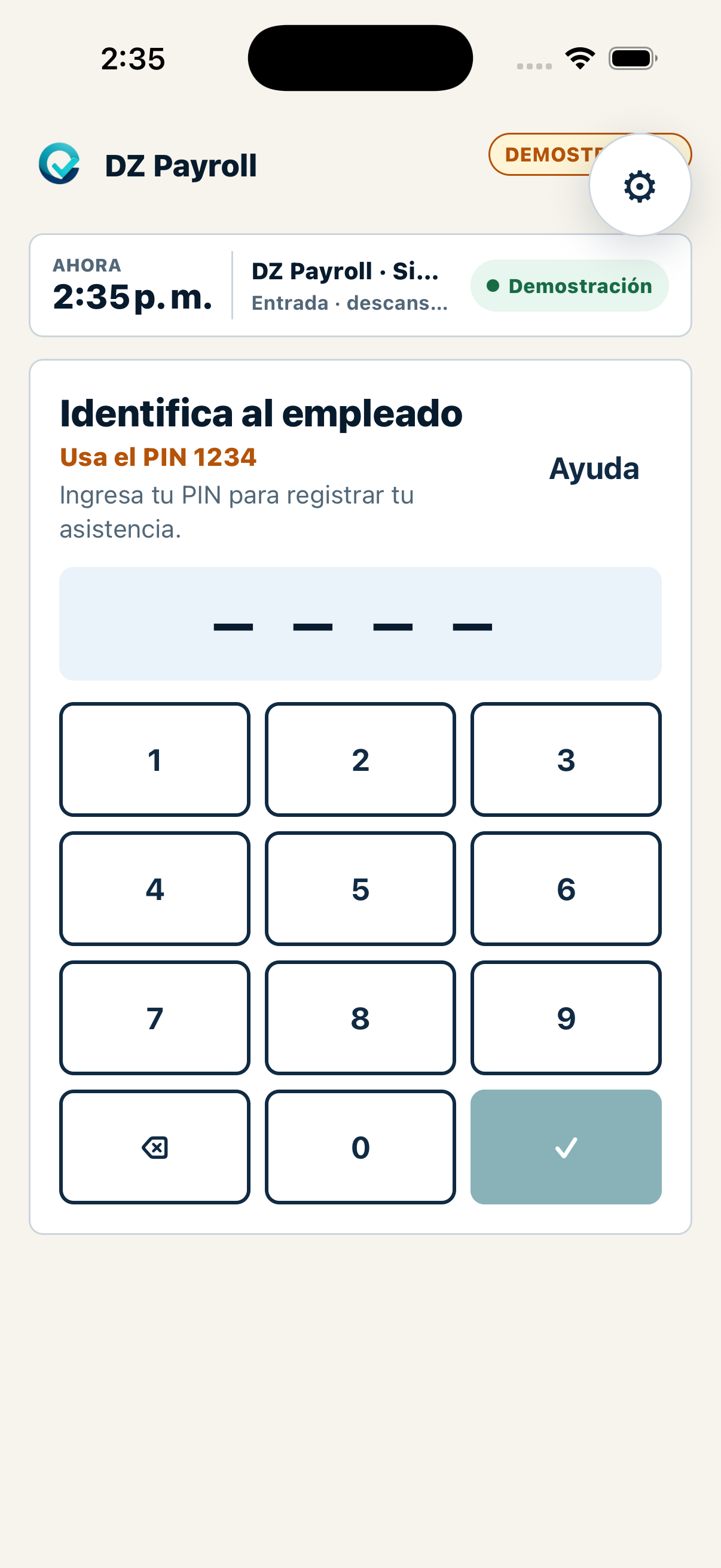
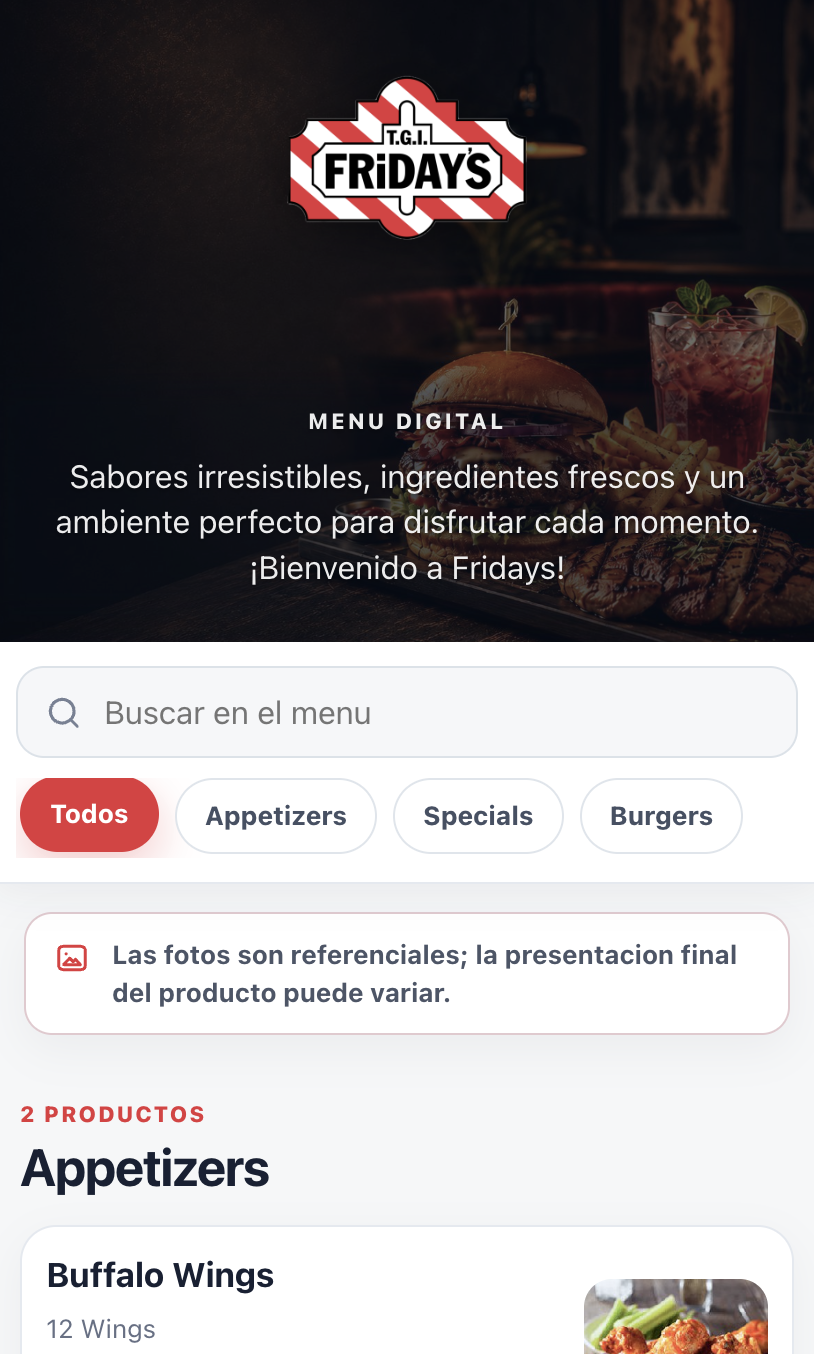
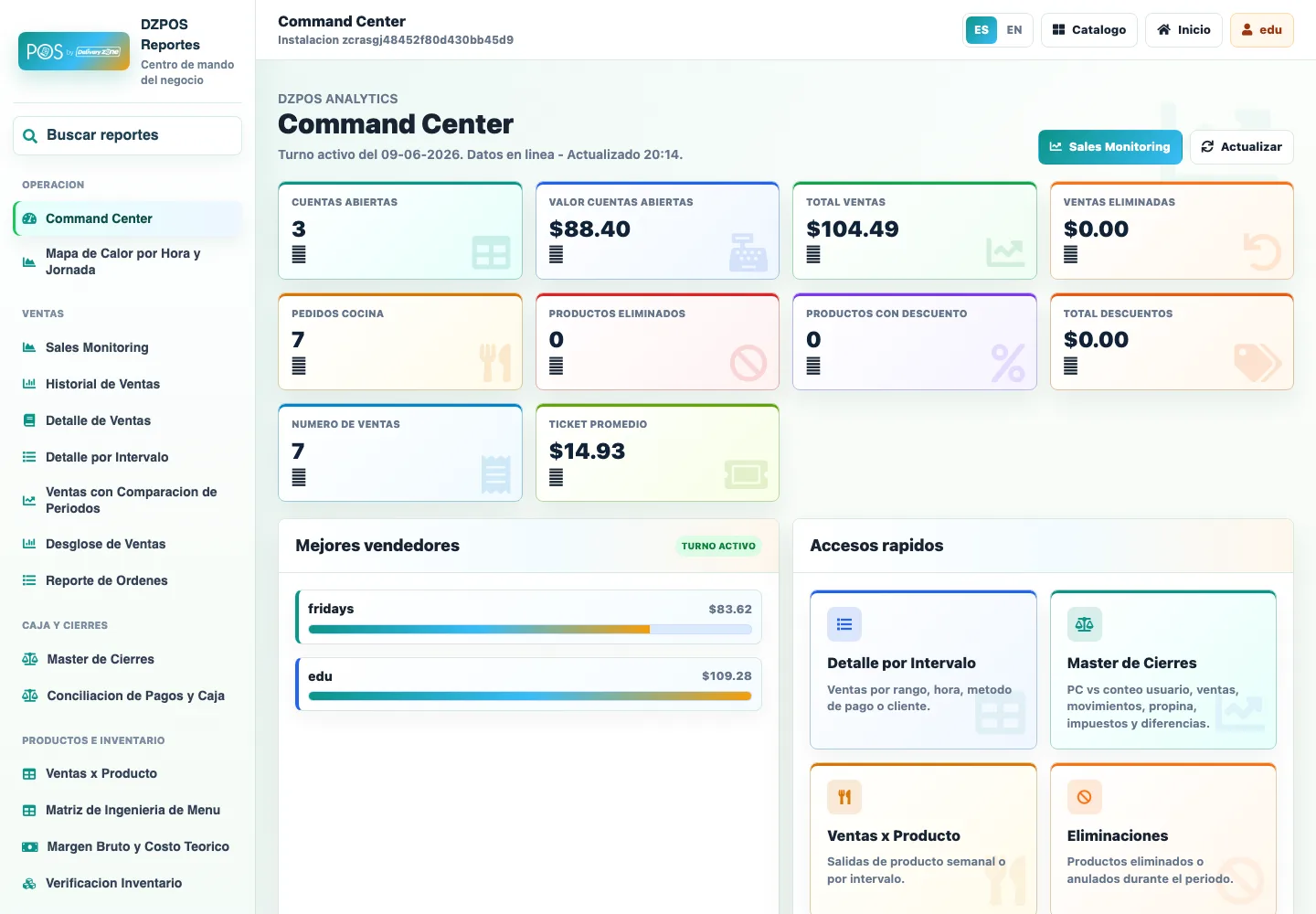
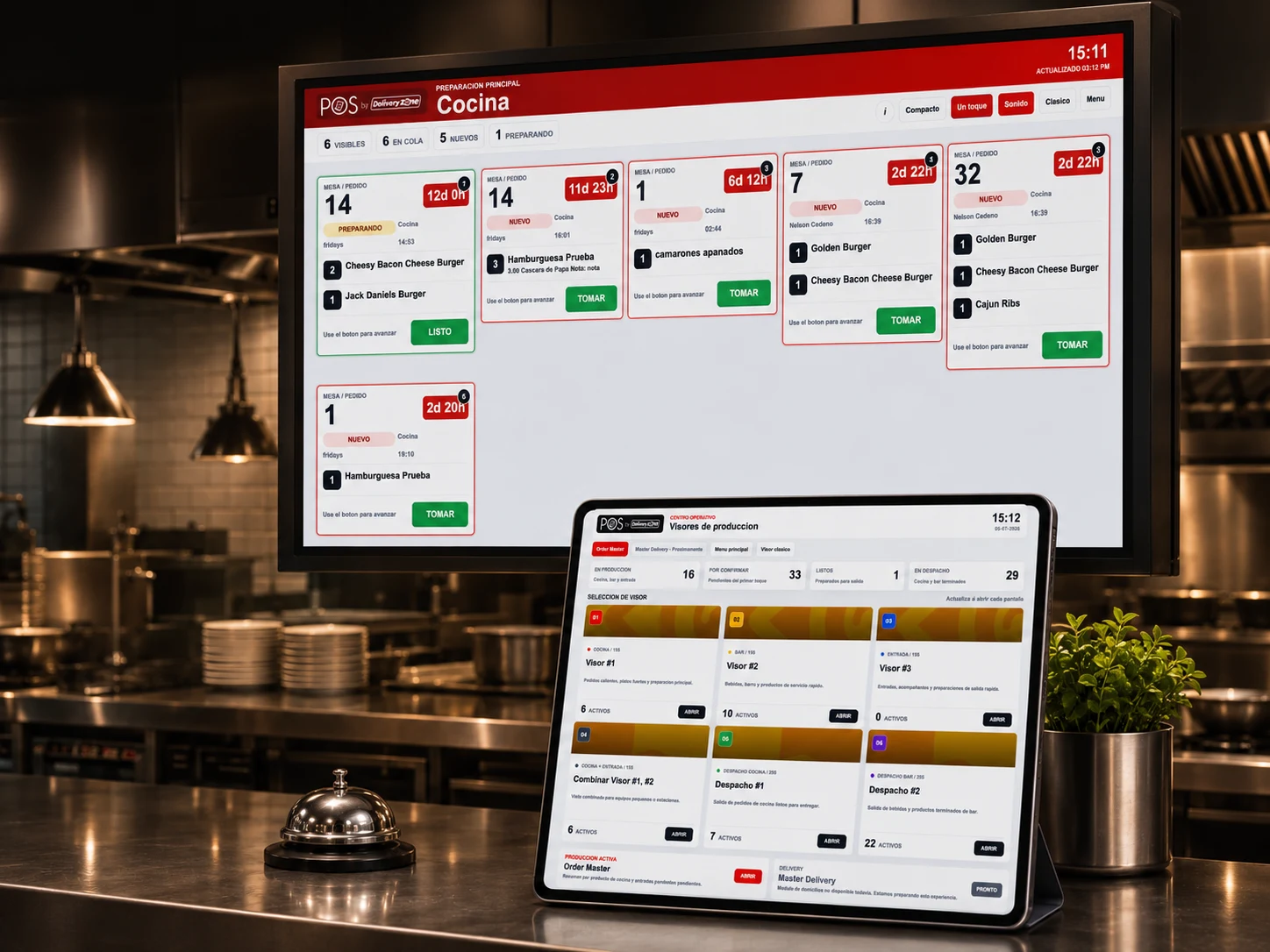
Walk through the screens your team will actually touch during service: order entry, kitchen timing, menu and inventory control, and the reporting view owners use to understand the shift. The goal is simple: arrive at the demo already knowing what to inspect, what to compare, and how each workflow should fit your restaurant.
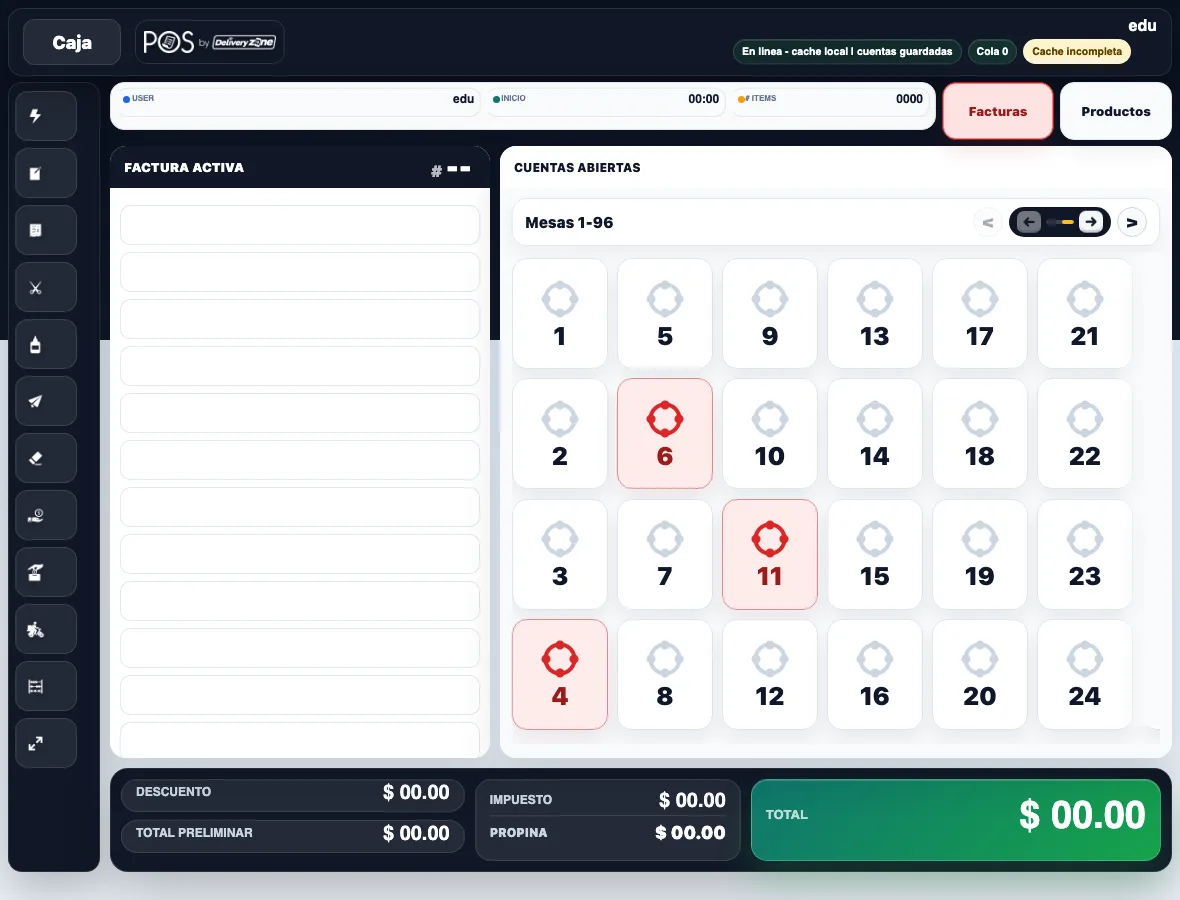
Active invoice, item options, quantity controls, and checkout total for a live service flow.
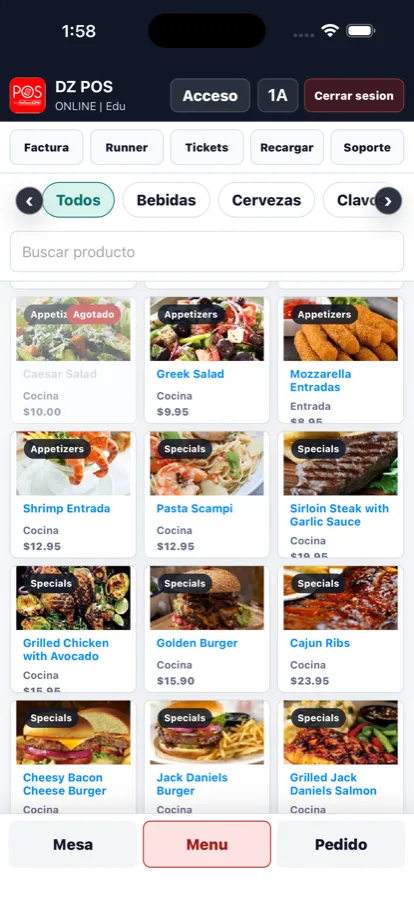
Give servers and counter teams a phone or tablet workflow for fast menu access, product lookup, and order support from the floor, line, or table.
Preparation queues, table timing, ticket status, and kitchen handoff visibility.
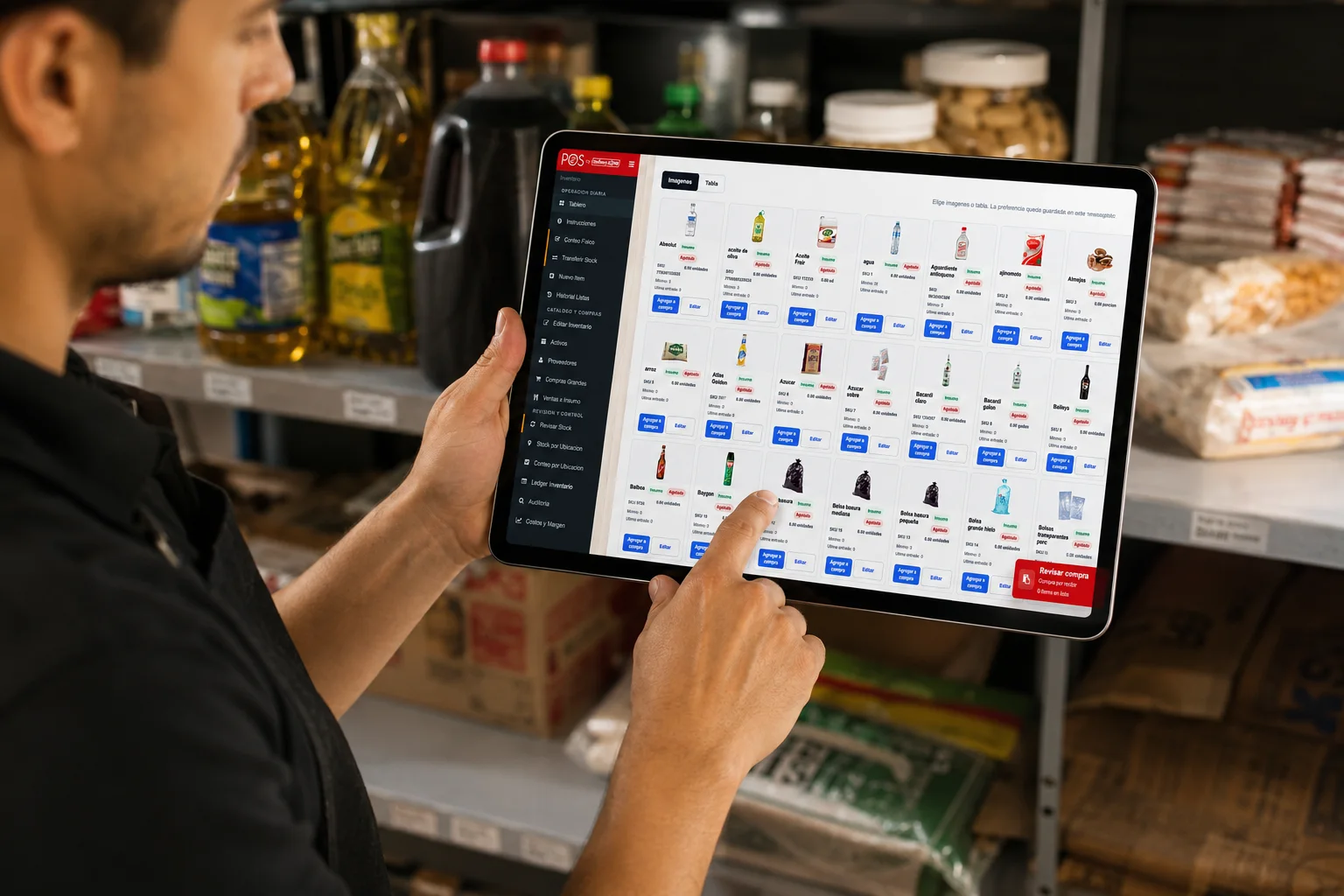
Review stock, item images, purchase status, and product availability from a tablet while standing in the storage room or prep area.
Sales, product, customer, and location signals for manager review.
Business outcomes
Buyers compare POS platforms by outcomes: fewer disconnected steps, clearer operations, and a launch path the team can actually follow.
Savings conversation
Use this quick estimate to frame a direct-order and delivery workflow conversation with the DeliveryZone POS team.
Review My SavingsReview how direct ordering, delivery workflow, and location setup could affect your operating model.
Estimates are for planning only. Actual savings depend on your order volume, fees, setup, and operating model.
How it works
Each step keeps the next team member moving with cleaner context, fewer manual handoffs, and a clearer view of what is happening during service.
Orders arrive from POS, web, mobile, pickup, and delivery in one operating stream, so the team starts with the same source of truth instead of jumping between screens.
Clear intake helps service start faster during rush periods.Items, modifiers, notes, and timing details move to the right kitchen workflow, giving cooks and service staff the context they need before preparation starts.
Kitchen routing keeps preparation details visible where work happens.Managers can follow order status from table or counter through kitchen preparation, pickup, delivery handoff, and customer completion without asking every station for updates.
Status visibility makes handoffs easier to manage in real time.Menu availability, product movement, customer history, and order context stay closer to the daily operation, helping teams avoid stale information while service is moving.
Connected updates keep menus and customer context more useful.Owners and managers review sales, products, staff activity, order flow, and location signals from the same operating platform instead of waiting for manual cleanup later.
Live reporting turns the shift into information you can act on.Tell us how orders move through your restaurant and we will tailor the walkthrough.
Use cases
DeliveryZone POS adapts to the way your team sells, prepares, delivers, and grows.
Move lines faster with quick order entry, kitchen routing, payment, and handoff visibility.
Support tables, checks, staff roles, preparation flow, receipts, and manager visibility.
Coordinate custom orders, kitchen timing, delivery assignment, driver status, and customer updates.
Handle morning rush, item availability, category sales, and repeat customer workflows.
Route digital demand into kitchen workflow with menu control and operational reporting.
Standardize menus, permissions, reporting, and rollout routines across locations.
Mobile command center
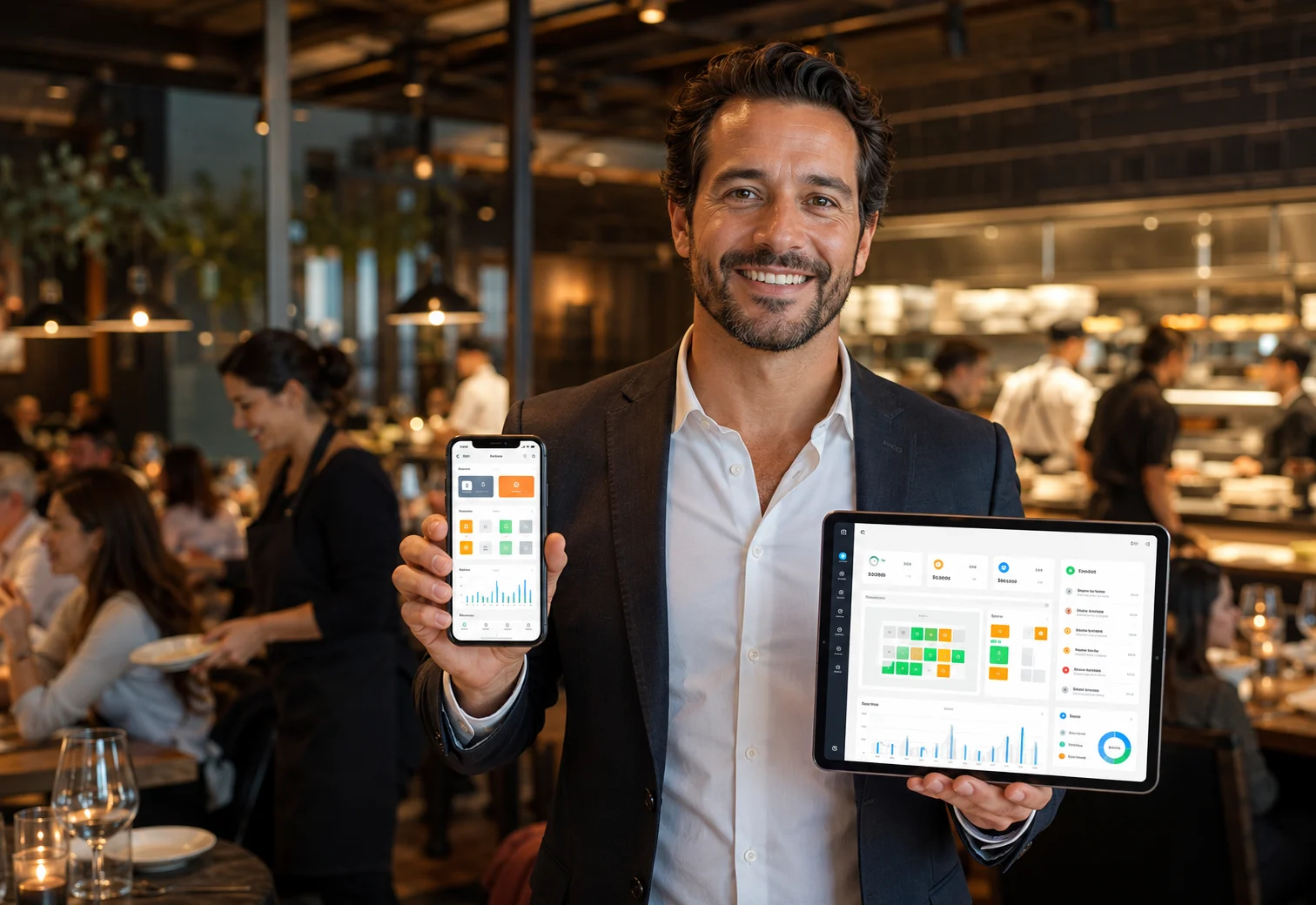
When orders, tables, kitchen status, customers, and sales live in your hand, the restaurant feels different: faster decisions, clearer shifts, and owners who stay connected from anywhere.
Track POS, online, delivery, and kitchen activity without being tied to the counter.
Keep table status, preparation flow, and handoffs visible while the restaurant is moving.
Use order history and customer context to make repeat visits easier to recognize and serve.
Check the signals that matter from the floor, the office, or away from the restaurant.
The leap is simple: your operation stops living behind one counter.
See Mobile WorkflowsPhone and tablet access keeps owners close to service, sales, and the floor.
Serious operations
DeliveryZone POS focuses on operational clarity, controlled access, practical support, and implementation details buyers can verify during the walkthrough.
Give owners, managers, cashiers, kitchen staff, and reporting users appropriate permissions.
Give operators remote visibility into sales and operating signals where configured.
Keep orders connected across POS, kitchen, delivery, customer, and reporting workflows.
Use guided setup and follow-up support to reduce launch risk for your team.
Restaurant setup
Availability depends on country, hardware, processor, and implementation scope. The demo maps the right setup path for your operation.
Counter and cashier workflows for daily service.
Table, counter, bar, or floor-service workflows.
Staff access for menu and order activity where configured.
Ticket routing and preparation workflow planning.
Receipt output reviewed during hardware planning.
Cash handling and closeout flow reviewed before launch.
Direct pickup, delivery, and scheduled order workflows.
Driver assignment, handoff, and status visibility.
Processor, receipt, tax, and settlement details depend on setup.
Location-level reporting and rollout planning for growing operators.
Trust
During your demo, we’ll walk through real DeliveryZone POS screens and map the setup to your restaurant’s service model, locations, devices, staff roles, and ordering channels.
Inspect POS, kitchen, delivery, customer, and reporting workflows before making a decision.
Review menus, roles, devices, taxes, receipts, kitchen flow, delivery, training, and launch needs.
The demo follows practical service routines instead of abstract feature lists.
Review the published privacy policy for data handling across POS, delivery, support, and communications.
Launch support
DeliveryZone POS helps map your menu, devices, printers, kitchen workflow, delivery process, staff roles, and reporting needs before go-live.
Bilingual onboarding available.
Get a Personalized WalkthroughMap service model, ordering channels, kitchen handoff, delivery process, staff roles, and launch priorities.
Prepare items, categories, modifiers, taxes, users, and location structure.
Review register devices, tablets, receipt printers, kitchen printers, cash drawers, and payment flow.
Practice order entry, kitchen handoff, delivery status, reports, and closeout routines.
Launch with a practical checklist for opening, rush periods, closing, and owner review.
Adjust menus, reports, permissions, and growth workflows as the operation matures.
Book a Demo
Share the basics and the DeliveryZone POS team will show the workflows that matter most for your service model, channels, and locations.
Get a personalized walkthrough for your restaurant. No pressure, no spam.
Use the form for the cleanest sales handoff, or contact the team directly.
consultas@deliveryzone.netWhatsApp +507 6555 6085Ready when you are
See how DeliveryZone POS can help your team sell faster, reduce order mistakes, manage delivery, and grow repeat customers.
Get a personalized walkthrough for your restaurant.